
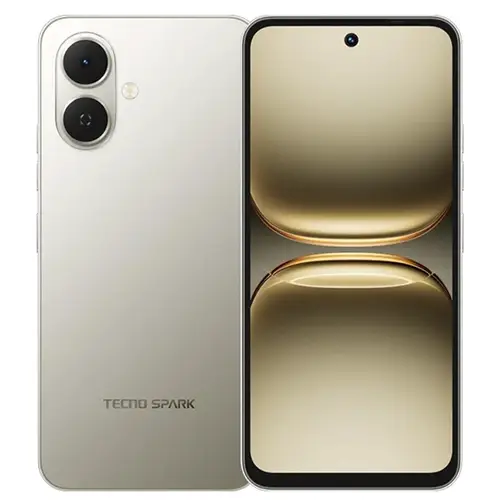
On this page, we have shared the original firmware, SPD flash tool, and SPD USB drivers required for flashing your Tecno Spark Go 2 KM4. We compressed all these files in a zip format, you can unzip them using 7-Zip software on your computer. The below provided files are tested to ensure they are working properly without any errors.
Before you start flashing your Tecno Spark Go 2 KM4, make sure the zip files you have downloaded on your computer are successfully downloaded and verify that they are not corrupted. The flashing process also requires a computer because the SPD Flash Tool operates on it and a working USB cable to connect your Tecno Spark Go 2 KM4 with your computer. We have shared the How to Flash guide on this page that will help you flash your smartphone easily.
Why Flash the Firmware
- Improve your Tecno Spark Go 2 KM4 RAM performance.
- Restore lost IMEI numbers on your Tecno Spark Go 2.
- Reinstall system apps that are missing from your mobile.
- Restore the original stock ROM.
- Resolve Google Services issues on your Tecno Spark Go 2 KM4.
Prerequisites
- Charge your Tecno Spark Go 2 KM4 to at least 50% before flashing it.
- Save all your social media and Google account details.
- Enable USB debugging in your Tecno Spark Go 2 settings.
- Log out of all social and Google accounts from your smartphone.
Firmware (Flash File) Details
Brand: Tecno
Flash Tool: SPD Flash Tool
Drivers Supported: SPD USB Drivers
Firmware Type: Original Firmware
Download Required Files
Firmware File Name: Tecno_Spark_Go_2_KM4_15.1.0.105SP09_OP001PL001M1_120525
Firmware File Size: 4.80 GB
How to Flash
- Download Firmware and SPD Flash Tool on your computer.
- Extract the downloaded zip files with 7-Zip on your computer.
- Download and install the SPD USB drivers on your computer.
- Open the SPD Flash Tool folder and launch the SPD Flash Tool.
- Now, load the stock ROM (firmware) in the SPD Flash Tool.
- Turn off your Tecno Spark Go 2 KM4.
- Click Download Only in the SPD Flash Tool, then connect your mobile to the computer with a USB cable.
- After connecting your Tecno Spark Go 2 to your computer, the flashing process will start automatically.
Advantages of Updating Stock ROM
Improve Security: Flashing can install the latest security patches on your Tecno Spark Go 2 KM4.
Fix Slow App Launching: Updating the stock ROM can fix the slow app launching issue.
Fix Overheating: Flashing can also help solve overheating problems on your Tecno Spark Go 2 KM4.
Update Software: Flashing the latest firmware can update your Tecno KM4 software.
Important Notes
[*] Credits: The above firmware is officially released by TECNO Mobile. We have scanned the zip package with Norton AntiVirus Plus before sharing it online.
[*] Backup: Before flashing your Tecno Spark Go 2 KM4, make sure to back up all your data. Flashing the firmware will permanently delete all data from your device.
[*] Note: TecnoFirmware.com is not responsible for any damage that may occur to your mobile. Please proceed if you have some knowledge about it.
[*] Request Firmware: If you’re looking for a specific Tecno firmware that isn’t on our site, you can request it in the comments below or contact us through our “Contact Us” page.