
Tecno
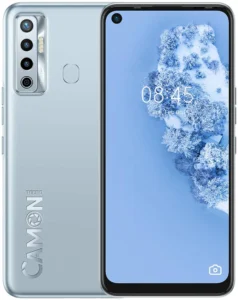
Tecno Camon 17 CG6

On this page, we have provided all the files that are required for flashing your Tecno Camon 17 CG6 device, including original firmware, SP flash tool, and MediaTek USB drivers. We have compressed all these files in a zip format and you can extract them easily using the WinRAR software on your computer. We have scanned all these files using Avast Premium Antivirus and tested them before sharing them on this page. We have also hosted these files on GDrive servers for fast and free downloads.
Before starting to flash your Tecno Camon 17 CG6 smartphone, ensure that the firmware package contains a scatter file that is required for the flashing process. You will also need a working USB cable and a Windows-installed computer, as SP Flash Tool operates on Windows OS. Also verify that the files you have downloaded are successful and not corrupted. Just follow the How to Flash guide to flash the firmware on your Tecno Camon 17 CG6 device.
Updating stock firmware on your Tecno Camon 17 CG6 smartphone can fix all software problems, including the app not responding issue, slow performance problems, auto-restarting issue, dead issue, virus problem, stuck-on Tecno logo issue, auto-restarting issue, Wi-Fi not connecting issue, app not installing problem, Bluetooth not pairing issue, screen flickering issue, rooted device issue, file downloading issue, fast battery draining problem, screen flickering issue, or soft brick issue.
Why Flash the Firmware
- Repair issues causing apps to stop working suddenly.
- Fix damaged files that affect your Tecno Camon 17’s proper functioning.
- Fix the fast battery-draining issue on your Tecno Camon 17 CG6.
- Recover your Tecno CG6 from an OTA software update failure state.
- Resolve software errors causing the camera to stop working properly on your Tecno CG6.
Pre-Requirements
Charge Phone Battery: Make sure your Tecno Camon 17 is charged at least 50% before flashing.
Backup App Data: Use tools like Titanium Backup to save all your Tecno Camon 17 app data properly.
Remove Password Protection. Turn off password protection on your Tecno CG6 to prepare it for flashing.
Save Account Details: Always save your social media and Google account details before flashing your Tecno Camon 17.
Backup IMEI Numbers: Use software like MTK Droid Tools to securely back up your Tecno CG6’s IMEI numbers.
Firmware (Stock ROM) Details
Brand: Tecno
Flash Tool: SP Flash Tool
Drivers Supported: MTK USB Drivers
Firmware Type: Original Firmware
Download Required Files
Firmware File Name: Tecno Camon 17 CG6 MT6768
Firmware File Size: 3.4 GB
Download SP Flash Tool for Windows
Download SP Flash Tool for Linux
How to Flash
- Download the Tecno Camon 17 CG6 Firmware and SP Flash Tool on your computer.
- Extract the downloaded zip files with WinRAR on your computer.
- Download and install the MTK USB Drivers on your computer.
- Open the SP Flash Tool folder and launch the SP Flash Tool.
- Now, load the Stock ROM (Firmware) in the SP Flash Tool.
- Turn off your Tecno CG6 device completely.
- Click “Download Only” in the SP Flash Tool, then connect your Tecno Camon 17 to your computer with a USB cable.
- After connecting your Tecno CG6 to your computer, the flashing process will automatically start.
Advantages of Flashing Firmware
- Fix Mobile Data Problems: Flashing helps repair mobile data issues on your Tecno Camon 17 to improve internet connection speed.
- Fix Slow Boot Issues: Flashing can make your Tecno CG6 start up faster and improve its overall performance.
- Remove Viruses and Malware: Updating a stock ROM on your Tecno Camon 17 removes harmful software or viruses.
- Fix Face Unlock Problems: Flashing restores the non-working face unlock feature on your Tecno CG6 smartphone.
- Fix SD Card Issues: Installing stock firmware resolves issues when your Tecno Camon 17 is not properly reading or detecting the SD card.
- Fix Charging Problems: Flashing helps fix issues like slow charging or your Tecno Camon 17 CG6 not charging problem.
Important Notes
[*] Credits: The Tecno Camon 17 CG6 firmware is officially released by TECNO Mobile. We have scanned the zip package with Norton AntiVirus Plus before sharing it online.
[*] Backup: Before flashing your Tecno Camon 17 CG6, make sure to back up all your data. Flashing the firmware will permanently delete all data from your device.
[*] Note: TecnoFirmware.com is not responsible for any damage that may occur to your Tecno Camon 17 CG6. Please proceed if you have sufficient knowledge about it.
[*] Request Firmware: If you’re looking for a specific Tecno firmware that isn’t on our site, you can request it in the comments below or contact us through our “Contact Us” page.
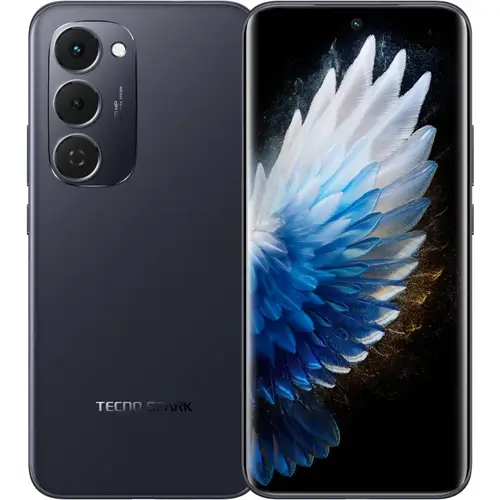
On this page, you will find the original firmware, SP flash tool, and MTK USB drivers required for flashing your Tecno Spark 40 Pro Plus KM7. We compressed all these files in a zip format, you can unzip them using WinRAR software on your computer. The below provided files are tested to ensure they are working properly without any errors.
Before you start flashing your Tecno Spark 40 Pro Plus KM7, make sure the zip files you have downloaded on your computer are successfully downloaded and verify that they are not corrupted. The flashing process also requires a computer because the SP Flash Tool operates on it and a working USB cable to connect your Tecno Spark 40 Pro Plus with your computer. We have shared the How to Flash guide on this page that will help you flash your smartphone easily.
Why Flash the Firmware
- Improve your Tecno Spark 40 Pro Plus KM7 RAM performance.
- Restore lost IMEI numbers on your Tecno Spark 40 Pro Plus KM7.
- Reinstall system apps that are missing from your mobile.
- Resolve Google Services issues on your Tecno KM7.
Prerequisites
- Charge your smartphone to at least 50% before flashing it.
- Save all your social media and Google account details.
- Enable USB debugging in your Tecno Spark 40 Pro Plus KM7 settings.
- Log out of all social and Google accounts from your Tecno Spark 40 Pro Plus.
Firmware (Flash File) Details
Brand: Tecno
Flash Tool: SP Flash Tool
Drivers Supported: MTK USB Drivers
Firmware Type: Original Firmware
Download Required Files
Firmware File Name: Tecno_Spark_40_Pro_Plus_KM7_15.1.1.108SP02_OP001PF001AZ_240625_MXML
Firmware File Size: 8 GB
How to Flash
- Download Firmware and SP Flash Tool on your computer.
- Extract the downloaded zip files with WinRAR on your computer.
- Download and install the MTK USB drivers on your computer.
- Open the SP Flash Tool folder and launch the SP Flash Tool.
- Now, load the stock ROM (firmware) in the SP Flash Tool.
- Turn off your Tecno Spark 40 Pro Plus KM7.
- Click Download Only in the SP Flash Tool, then connect your mobile to the computer with a USB cable.
- After connecting your smartphone to your computer, the flashing process will start automatically.
Advantages of Updating Firmware
Fix App Crashes: Installing firmware can update system files to prevent apps from crashing.
Improve Security: Flashing can install the latest security patches on your Tecno KM7.
Fix Slow App Launching: Updating the stock ROM can fix the slow app launching issue.
Fix Overheating: Flashing can also help solve overheating problems.
Update Software: Flashing the latest firmware can update your Tecno Spark 40 Pro Plus KM7 software.
Important Notes
[*] Credits: The above firmware is officially released by TECNO Mobile. We have scanned the zip package with Norton AntiVirus Plus before sharing it online.
[*] Backup: Before flashing your Tecno Spark 40 Pro Plus KM7, make sure to back up all your data. Flashing the firmware will permanently delete all data from your device.
[*] Note: TecnoFirmware.com is not responsible for any damage that may occur to your mobile. Please proceed if you have some knowledge about it.
[*] Request Firmware: If you’re looking for a specific Tecno firmware that isn’t on our site, you can request it in the comments below or contact us through our “Contact Us” page.
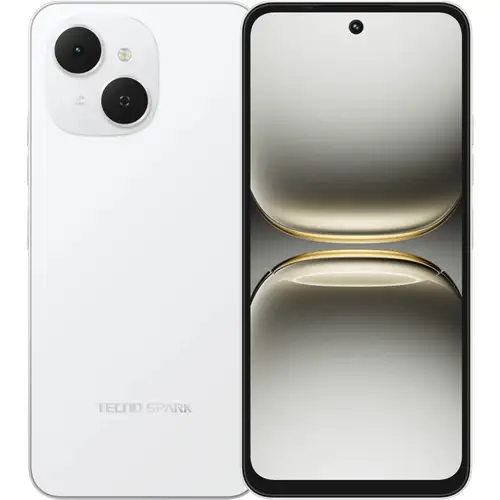
On this page, we have shared the original firmware, SP flash tool, and MTK USB drivers required for flashing your Tecno Spark 40C KM4K. We compressed all these files in a zip format, you can unzip them using WinRAR software on your computer. The below provided files are tested to ensure they are working properly without any errors.
Before you start flashing your Tecno Spark 40C KM4K, make sure the zip files you have downloaded on your computer are successfully downloaded and verify that they are not corrupted. The flashing process also requires a computer because the SP Flash Tool operates on it and a working USB cable to connect your smartphone with your computer. We have shared the How to Flash guide on this page that will help you flash your Tecno KM4K easily.
Why Flash the Firmware
- Improve your Tecno Spark 40C RAM performance.
- Restore lost IMEI numbers on your mobile.
- Reinstall system apps that are missing from your mobile.
- Resolve Google Services issues on your Tecno Spark 40C KM4K.
Prerequisites
- Charge your Tecno Spark 40C KM4K to at least 50% before flashing it.
- Save all your social media and Google account details.
- Enable USB debugging in your Tecno Spark 40C settings.
- Log out of all social and Google accounts from your smartphone.
Firmware (Flash File) Details
Brand: Tecno
Flash Tool: SP Flash Tool
Drivers Supported: MTK USB Drivers
Firmware Type: Original Firmware
Download Required Files
Firmware File Name: Tecno_Spark_40C_KM4K_MT6768_15.1.1.106SP30_OP001PF001AZ_030725
Firmware File Size: 5.40 GB
How to Flash
- Download Firmware and SP Flash Tool on your computer.
- Extract the downloaded zip files with WinRAR on your computer.
- Download and install the MTK USB drivers on your computer.
- Open the SP Flash Tool folder and launch the SP Flash Tool.
- Now, load the stock ROM (firmware) in the SP Flash Tool.
- Turn off your Tecno Spark 40C.
- Click Download Only in the SP Flash Tool, then connect your mobile to the computer with a USB cable.
- After connecting your smartphone to your computer, the flashing process will start automatically.
Advantages of Updating Firmware
Fix App Crashes: Installing firmware can update system files to prevent apps from crashing.
Improve Security: Flashing can install the latest security patches on your Tecno Spark 40C KM4K.
Fix Overheating: Flashing can also help solve overheating problems.
Update Software: Flashing the latest firmware can update your Tecno Spark 40C KM4K software.
Important Notes
[*] Credits: The above firmware is officially released by TECNO Mobile. We have scanned the zip package with Norton AntiVirus Plus before sharing it online.
[*] Backup: Before flashing your Tecno Spark 40C KM4K, make sure to back up all your data. Flashing the firmware will permanently delete all data from your device.
[*] Note: TecnoFirmware.com is not responsible for any damage that may occur to your mobile. Please proceed if you have some knowledge about it.
[*] Request Firmware: If you’re looking for a specific Tecno firmware that isn’t on our site, you can request it in the comments below or contact us through our “Contact Us” page.
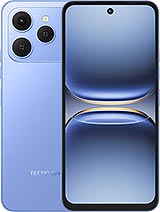
On this page, we have shared the original firmware, SP flash tool, and MTK USB drivers required for flashing your Tecno Spark 40 KM5. We compressed all these files in a zip format, you can unzip them using 7-Zip software on your computer. The below provided files are tested to ensure they are working properly without any errors.
Before you start flashing your Tecno Spark 40, make sure the zip files you have downloaded on your computer are successfully downloaded and verify that they are not corrupted. The flashing process also requires a computer because the SP Flash Tool operates on it and a working USB cable to connect your smartphone with your computer. We have shared the How to Flash guide on this page that will help you flash your Tecno Spark 40 KM5 easily.
Why Flash the Firmware
- Improve your Tecno Spark 40 RAM performance.
- Reinstall system apps that are missing from your Tecno Spark 40.
- Resolve Google Services issues on your device.
- Fix random app crashes.
Prerequisites
- Charge your Tecno KM5 to at least 50% before flashing it.
- Save all your social media and Google account details.
- Enable USB debugging in your Tecno Spark 40 KM5 settings.
- Log out of all social and Google accounts from your smartphone.
Firmware (Flash File) Details
Brand: Tecno
Flash Tool: SP Flash Tool
Drivers Supported: MTK USB Drivers
Firmware Type: Original Firmware
Download Required Files
Firmware File Name: Tecno_Spark_40_KM5_MT6768_15.1.1.103SP18_OP001PF001AZ_060625
Firmware File Size: 4 GB
How to Flash
- Download Firmware and SP Flash Tool on your computer.
- Extract the downloaded zip files with WinRAR on your computer.
- Download and install the MTK USB drivers on your computer.
- Open the SP Flash Tool folder and launch the SP Flash Tool.
- Now, load the stock ROM (firmware) in the SP Flash Tool.
- Turn off your Tecno Spark 40 KM5.
- Click Download Only in the SP Flash Tool, then connect your mobile to the computer with a USB cable.
- After connecting your smartphone to your computer, the flashing process will start automatically.
Advantages of Flashing Firmware
Fix App Crashes: Installing firmware can update system files to prevent apps from crashing.
Improve Security: Flashing can install the latest security patches on your Tecno Spark 40 KM5.
Fix Slow App Launching: Updating the stock ROM can fix the slow app launching issue.
Fix Overheating: Flashing can also help solve overheating problems.
Update Software: Flashing the latest firmware can update your Tecno KM5 device software.
Important Notes
[*] Backup: Before flashing your Tecno Spark 40 KM5, make sure to back up all your data. Flashing the firmware will permanently delete all data from your device.
[*] Credits: The above firmware is officially released by TECNO Mobile. We have scanned the zip package with Norton AntiVirus Plus before sharing it online.
[*] Note: TecnoFirmware.com is not responsible for any damage that may occur to your mobile. Please proceed if you have some knowledge about it.
[*] Request Firmware: If you’re looking for a specific Tecno firmware that isn’t on our site, you can request it in the comments below or contact us through our “Contact Us” page.
Tecno Spark 40 Pro Plus KM7
Tecno Spark 40C KM4K

FintechZoom.com Gold — A Detailed Guide

Lync Conf Mods — A Detailed Guide to Conference Modifications in Microsoft Lync

OntPress Fresh Updates — What It Is, Why It Matters, and How to Use It Well
Tecno Spark 40 Pro Plus KM7
Tecno Spark 40C KM4K
FintechZoom.com Gold — A Detailed Guide
Lync Conf Mods — A Detailed Guide to Conference Modifications in Microsoft Lync